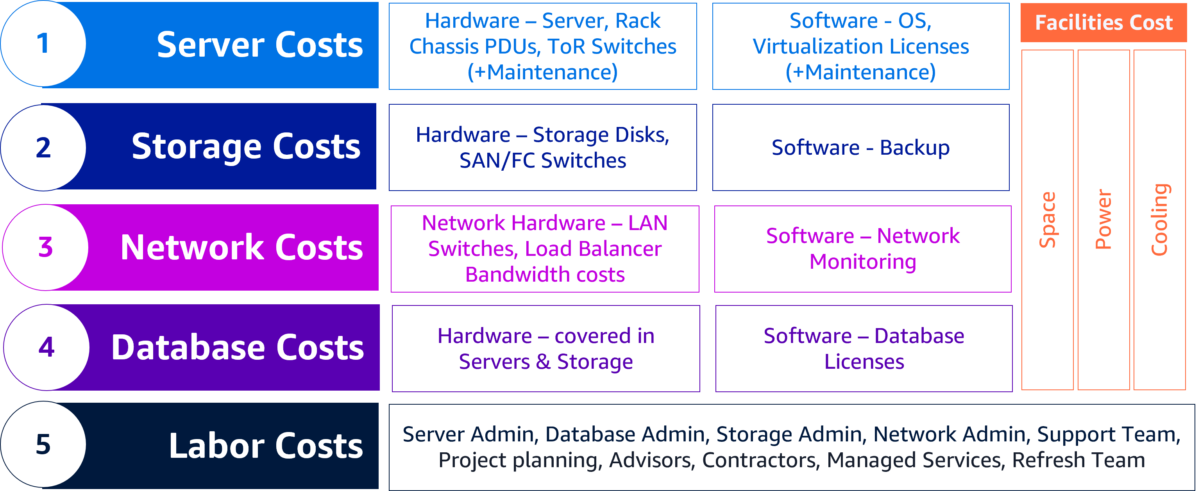
🧾 Overview of Cost Considerations by Service
1. DynamoDB
- 💡 On-demand vs provisioned:
- Provisioned is cheaper if access is predictable. Use Auto Scaling if uncertain.
- 🔁 Avoid hot partitions: Distribute access evenly using good partition key design.
- ⏳ Enable TTL (Time To Live): Automatically delete stale data.
- 💾 Use DAX or caching (e.g., with Amplify or Lambda) to reduce reads.
- 📦 Watch storage: Monitor size growth. Large payloads = large bills.
- 🧹 Clean up unused tables in non-prod environments.
2. AWS Amplify
- 💡 Use only necessary Amplify features:
Hosting, auth, storage, GraphQL APIs can rack up costs—disable unused categories. - 💸 Hosting costs scale with usage + storage.
Optimize asset size and invalidate old builds. - 🔁 Avoid redeploying often, especially for small changes.
- 🔒 Use environment-specific backends, but clean up unused ones.
3. Lambda
- ⏱ Keep functions fast: You’re billed for time * RAM.
- 📦 Minimize memory allocation: 128MB is cheap, 512MB+ adds up fast.
- 🧪 Use Lambda Power Tuning to find optimal memory/runtime balance.
- ⚠️ Avoid recursive calls or poorly terminated functions.
- 🧹 Delete unused versions and clean up layers.
4. CloudFormation
- 📋 Free itself, but can create cost-incurring resources.
- 🛑 Be careful with templates that create high-tier instances/services by default.
- 🧹 Remove old stacks/environments in test/dev.
5. CloudWatch
- 📊 Logs and metrics cost money! Especially retention.
- Keep short log retention for dev/test (e.g., 3 days).
- Set log filters selectively (don’t log everything).
- 🧽 Use
aws logs delete-log-groupto clean up unused logs. - 💡 Consider exporting logs to S3 and deleting from CW if needed long-term.
6. API Gateway
- 💸 REST APIs are more expensive than HTTP APIs.
- Use HTTP APIs when you don’t need advanced features (e.g. authorizers, WAF).
- 🧪 Use usage plans + throttling + quotas.
- 🔒 Enable caching to reduce Lambda invocations.
7. IAM
- 👀 No direct cost, but indirect:
- Ensure least privilege: Accidental access to high-cost resources can spike bills.
- Monitor role usage (some features are billable).
🔍 General Recommendations
🔔 1. Set Budgets and Alerts
- Use AWS Budgets and Cost Anomaly Detection.
- Enable notifications on spikes in Lambda invocations, API calls, storage usage, etc.
📦 2. Tag All Resources
- Use cost allocation tags like
env,team,project. - Group by environment to isolate cost-heavy dev or test setups.
🌍 3. Minimize Environments
- Don’t keep too many dev/test environments running 24/7.
- Automate teardown and re-creation when possible.
🧠 4. Use Savings Plans or Reserved Instances
- If you have predictable Lambda/Compute usage.
📈 5. Monitor with Cost Explorer
- Check cost per service, daily granularity.
- Enable Resource-level tracking.
✅ Pro Tips
| Goal | Strategy |
|---|---|
| Reduce Lambda cost | Optimize memory + runtime, use async when possible |
| Reduce API Gateway cost | Switch to HTTP APIs, enable caching, combine endpoints |
| Reduce DynamoDB cost | Provisioned capacity + Auto Scaling, optimize reads/writes |
| Reduce Amplify cost | Host only necessary features, minimize build frequency |
| Reduce CloudWatch cost | Shorten log retention, remove unnecessary metrics/logs |
| General cleanup | Automate stack/resource teardown in dev, especially Amplify environments |